Your bunq Card meets tricount
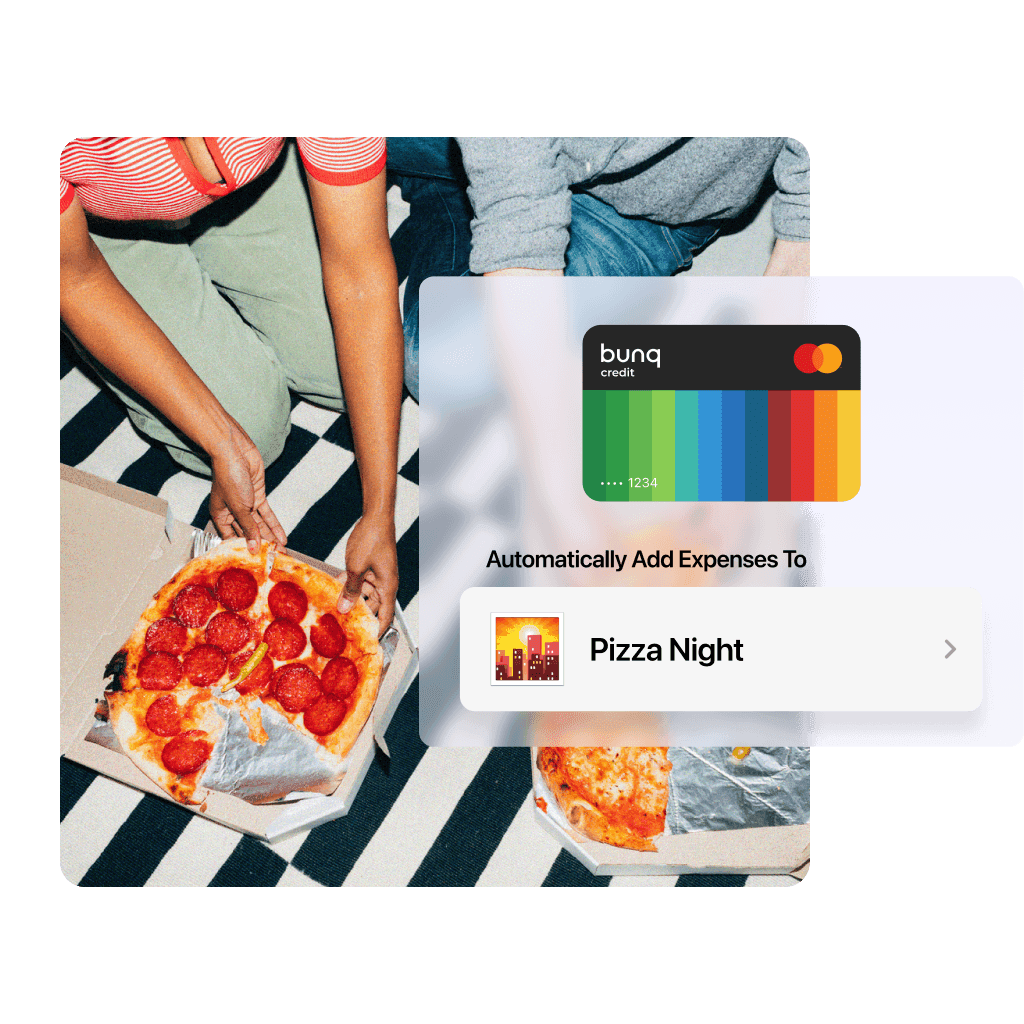
Connect a bunq Card to tricount to add shared expenses automatically as you spend. Need a Card first? Explore bunq Free.
* No monthly fee on bunq Free. Other fees and eligibility conditions apply. See terms and pricing.
Your bunq Card meets tricount
Connect a bunq Card to tricount to add shared expenses automatically as you spend. Need a Card first? Explore bunq Free.
* No monthly fee on bunq Free. Other fees and eligibility conditions apply. See terms and pricing.
Your bunq Card meets tricount
Connect a bunq Card to tricount to add shared expenses automatically as you spend. Need a Card first? Explore bunq Free.
* No monthly fee on bunq Free. Other fees and eligibility conditions apply. See terms and pricing.
Need a bunq Card first?
Explore bunq Free to open an Account and create a digital Credit Card in the bunq app. Add funds before spending, then connect your Card to tricount. bunq opens the Account and issues the Card. tricount records the shared expenses.

Need a bunq Card first?
Explore bunq Free to open an Account and create a digital Credit Card in the bunq app. Add funds before spending, then connect your Card to tricount. bunq opens the Account and issues the Card. tricount records the shared expenses.
Need a bunq Card first?
Explore bunq Free to open an Account and create a digital Credit Card in the bunq app. Add funds before spending, then connect your Card to tricount. bunq opens the Account and issues the Card. tricount records the shared expenses.
Keep the group’s balance clear
Once expenses are recorded, tricount works out who owes whom. Your group can settle up knowing everyone’s share.

Keep the group’s balance clear
Once expenses are recorded, tricount works out who owes whom. Your group can settle up knowing everyone’s share.
Keep the group’s balance clear
Once expenses are recorded, tricount works out who owes whom. Your group can settle up knowing everyone’s share.
Stay on top of shared spending
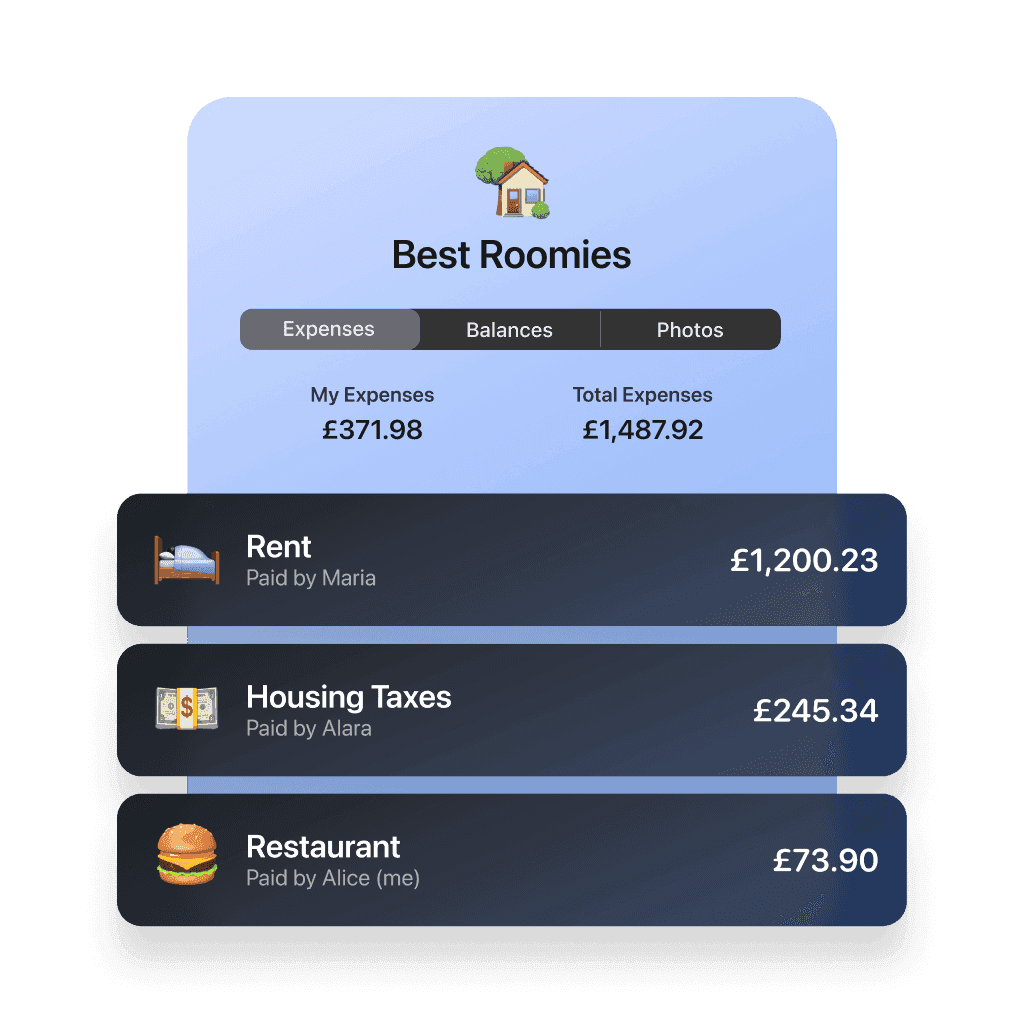
See your own expenses alongside the group’s total, whether you’re splitting a weekend away or everyday household costs.
Stay on top of shared spending
See your own expenses alongside the group’s total, whether you’re splitting a weekend away or everyday household costs.
Stay on top of shared spending
See your own expenses alongside the group’s total, whether you’re splitting a weekend away or everyday household costs.
Bring your Card and group together
Use tricount for the shared plan, and your linked card for the spending.
Start with your group
Create a tricount for your trip, dinner, or household and invite everyone.
Connect your Card
Already have a bunq Card? Open the card-linking flow and follow the instructions in the app. Otherwise, explore bunq Free first.
Spend and settle up
Track the shared expenses added from your Card and check the group’s balance.
Bring your Card and group together
Use tricount for the shared plan, and your linked card for the spending.
Start with your group
Create a tricount for your trip, dinner, or household and invite everyone.
Connect your Card
Already have a bunq Card? Open the card-linking flow and follow the instructions in the app. Otherwise, explore bunq Free first.
Spend and settle up
Track the shared expenses added from your Card and check the group’s balance.
Bring your Card and group together
Use tricount for the shared plan, and your linked card for the spending.
Start with your group
Create a tricount for your trip, dinner, or household and invite everyone.
Connect your Card
Already have a bunq Card? Open the card-linking flow and follow the instructions in the app. Otherwise, explore bunq Free first.
Spend and settle up
Track the shared expenses added from your Card and check the group’s balance.

Ready to connect your Card?
Open tricount to link your Card. New to tricount? Download the app to get started.
Ready to connect your Card?
Open tricount to link your Card. New to tricount? Download the app to get started.
Ready to connect your Card?
Open tricount to link your Card. New to tricount? Download the app to get started.